
Figuring out the cost of a WordPress website can feel like asking, “How much does a car cost?” The answer depends on what you need. Are you looking for a basic sedan to get from point A to point B, or a high-performance sports car with all the luxury features? Similarly, a simple personal blog will have a vastly different price tag than a complex, high-traffic ecommerce site. While the core WordPress software is free, building a fully functional, professional WordPress website involves several costs that can range from under a hundred dollars to tens of thousands. If you’re wondering how much does it cost to get started, you’re not alone—many people have the same question when considering a new website.
This guide provides a comprehensive breakdown of every potential expense you’ll encounter when building a WordPress site. We will explore the essential components and steps involved in WordPress website creation, the factors that influence pricing, and what you can expect to pay based on the scope and complexity of your project. Whether you plan to build the website yourself or hire a professional WordPress development company, this article will help you create a realistic budget and understand where your money is going.
We will cover everything from the foundational costs like domain registration and web hosting to the more variable expenses of themes, plugins, and ongoing maintenance. By the end, you’ll have a clear picture of how much it costs to build a WordPress website that meets your specific business goals.
The Core Components of WordPress Website Cost
Even though the WordPress software itself is free to download and use, creating a live, public-facing website requires several key investments. The overall WordPress site cost depends on factors such as themes, plugins, hosting, and ongoing updates, all of which influence the total expense. These are the non-negotiable elements that form the foundation of any WordPress site.
1. Domain Name: Your Website’s Address
A domain name is your website’s unique address on the internet (e.g., yourbusiness.com). It’s how visitors find you.
- Cost: A new custom domain typically costs between $10 and $20 per year.
- Factors Influencing Cost:
- Domain Registrar: Prices can vary slightly between registrars like GoDaddy, Namecheap, and Bluehost.
- Top-Level Domain (TLD): The extension at the end of your domain name (.com, .org, .net, .co) affects the price. A .com is often the standard, while newer TLDs like .io or .store can be more expensive.
- WordPress Domain Cost: WordPress domain cost can vary depending on the registrar you choose, the TLD, and annual renewal fees, so it’s important to compare options and consider long-term expenses.
- Premium Domains: Short, memorable, or keyword-rich domain names can be considered “premium” and may cost hundreds or even thousands of dollars.
- Getting a Free Domain: Many web hosting services offer a free domain for the first year when you sign up for one of their hosting plans. This is a great way for a small business website to save on initial costs.
2. Web Hosting: Your Website’s Home
If a domain name is the address, web hosting is the physical plot of land where your website lives. It’s the server space where all your website’s files, images, and content are stored, making them accessible to visitors worldwide. The type of hosting you choose is one of the most significant factors affecting both your WordPress website cost and its performance. WordPress hosting cost can vary widely depending on the hosting plan you select, with different options and features significantly impacting your overall website budget.
- Cost: Monthly hosting costs can range from $3 to over $800.
Let’s break down the different types of web hosting services available.
Shared web hosting is the most affordable option, making it popular for personal blogs, portfolios, and new small business websites. With shared hosting, your website shares server resources (like CPU, RAM, and disk space) with hundreds of other websites.
- Average Cost: $3 to $15 per month.
- Pros: Extremely budget-friendly, easy for beginners to set up.
- Cons: Slower performance during traffic spikes (on your site or others on the server), limited resources, and potential security risks if another site on the server is compromised.
VPS (Virtual Private Server) Hosting
VPS hosting is a step up from shared hosting. While you still share a physical server with other users, you are allocated a dedicated virtual partition. This means you have a guaranteed amount of resources that are not affected by other sites.
- Average Cost: $20 to $80 per month.
- Pros: Better performance and security than shared hosting, more control and customization options.
- Cons: Requires more technical knowledge to manage than shared hosting.
Dedicated Server Hosting
With dedicated hosting, you rent an entire physical server exclusively for your website. This gives you maximum control, performance, and security. It’s best for high-traffic websites, large ecommerce stores, and businesses that handle sensitive data.
- Average Cost: $80 to $300+ per month.
- Pros: Excellent performance, high security, full control over server configuration.
- Cons: Expensive, requires advanced technical expertise to manage.
Managed WordPress Hosting
This is a specialized hosting service designed specifically for WordPress users. The hosting provider handles all the technical aspects, including security, speed, backups, and WordPress updates. It’s like having an expert IT team managing your server.
- Average Cost: $25 to $150 per month.
- Pros: Optimized for WordPress performance, excellent security features, automatic updates and backups, dedicated support from WordPress experts.
- Cons: More expensive than shared hosting, can be restrictive about which WordPress plugins you can install.
Choosing the right hosting provider and plan is crucial. A cheap plan might save you money initially, but poor performance and downtime can cost you customers and revenue in the long run.
Design and Functionality: Customizing Your WordPress Site
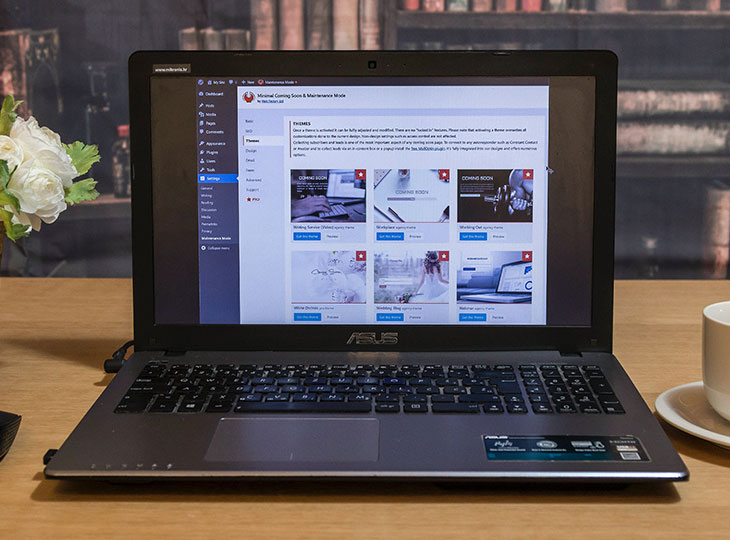
Once your foundation is set with a domain and hosting, the next set of costs comes from designing your site’s look and adding features. This is where the price can vary dramatically. For those seeking a unique, professional online presence, investing in a custom website allows for tailored design and advanced features to match your specific needs.
3. WordPress Themes: The Look and Feel
A WordPress theme controls the visual design and layout of your website. You have thousands of options, ranging from free to premium.
Free Themes
WordPress.org offers a massive repository of free themes. These are great for beginners and those on a tight budget.
- Cost: $0
- Pros: No cost, good for basic websites and personal blogs.
- Cons: Limited features and customization options, may lack dedicated support, and can be used by thousands of other websites, making it hard to stand out. A free WordPress theme may also not be updated regularly, posing a security risk.
Premium Themes
Premium themes are sold on marketplaces like ThemeForest, StudioPress, or directly from theme developers. They offer more advanced features, greater design flexibility, and dedicated support.
- Cost: $40 to $200 (usually a one-time fee, but some charge annually for updates and support).
- Pros: Professional design, extensive customization options, better security, regular updates, and customer support.
- Cons: An upfront cost.
When considering WordPress website design pricing, choosing between free, premium, or custom themes significantly impacts the overall cost of your project.
Custom Themes
For a truly unique website, you can hire a WordPress developer or agency to create custom themes from scratch. This gives you complete control over every aspect of the design and functionality.
- Cost: $3,000 to $25,000+. The custom WordPress website cost can vary widely depending on your specifications, the complexity of the design and features, and the service provider you choose.
- Pros: 100% unique design tailored to your brand, optimized for performance, and built to your exact specifications.
- Cons: The most expensive option, takes longer to develop.
For most businesses, a well-chosen premium theme offers the best balance of cost, quality, and customization.
4. WordPress Plugins: Adding Features
Plugins are software add-ons that extend the functionality of your WordPress site. You can use plugins to add contact forms, improve SEO, create an online store, or implement almost any feature you can imagine. For more specialized features or to further enhance your site’s capabilities, you may need to install advanced plugins.
Free Plugins
The official WordPress plugin directory has over 60,000 free plugins. Many essential features, like contact forms (Contact Form 7) and basic SEO (Yoast SEO), are available for free.
- Cost: $0
- Pros: No cost, covers a wide range of basic needs.
- Cons: May have limited features, support can be inconsistent, and using too many poorly-coded free plugins can slow down your site.
Premium Plugins
Premium plugins offer more advanced functionality, better security, and dedicated support. Many popular plugins operate on a “freemium” model, offering a free version with an option to upgrade for more features. While many plugins are free, some advanced features require purchasing paid plugins, which can increase your overall budget.
- Cost: $20 to $1,000+ (can be a one-time fee, or a monthly/annual subscription).
- Examples of Essential Premium Plugins:
- Ecommerce Functionality: WooCommerce is free, but extensions for payment gateways, shipping, and subscriptions can cost $50 – $300+ each.
- Performance: WP Rocket for caching and site speed optimization ($59/year).
- Security: Sucuri or Wordfence Premium for advanced protection ($99 – $490/year).
- Forms: Gravity Forms for advanced form building ($59/year). Premium WordPress plugins often provide advanced features, regular updates, and dedicated support compared to free options.
When budgeting for a professional WordPress website, it’s wise to allocate funds for several premium plugins to ensure you have the best tools for security, performance, and marketing.

Step-by-Step Guide to Building a WordPress Website
Building a WordPress website can seem daunting, but breaking it down into manageable steps makes the process much more approachable. Whether you’re creating a small business website, a personal blog, or a fully functional ecommerce site, following a clear roadmap ensures you don’t miss any essential features. Here’s a step-by-step guide to help you build a WordPress website from scratch:
1. Define Your Website’s Purpose and GoalsStart by clarifying what you want your WordPress site to achieve. Are you building an online store, a portfolio, or a business website? Knowing your goals will help you choose the right design, plugins, and hosting provider.
2. Register a Custom Domain NameChoose a memorable, brand-appropriate domain name. Register it through a reputable domain registrar or take advantage of a free domain offer from your web hosting service. Consider your domain extension (.com, .net, .store, etc.) and check for availability.
3. Select a Web Hosting PlanPick a hosting provider that matches your needs and budget. Shared hosting is great for beginners, while managed WordPress hosting or dedicated server hosting is ideal for larger, high-traffic sites. Compare WordPress hosting plans for features like SSL certificates, backups, and dedicated support.
4. Install WordPress SoftwareMost hosting providers offer one-click WordPress installation. If not, you can manually install WordPress on your server. This step sets up the core WordPress software, giving you access to the dashboard where you’ll manage your site.
5. Choose and Install a WordPress ThemeBrowse free themes from the WordPress repository or invest in a premium theme for advanced customization and support. For a unique look, consider hiring a WordPress developer to create custom themes tailored to your brand.
6. Add Essential PluginsInstall plugins to extend your site’s functionality. Start with essential plugins for SEO, security, backups, and contact forms. For ecommerce functionality, add WooCommerce or similar solutions. Balance free plugins with premium plugins for advanced features and dedicated support.
7. Customize your WordPress Website Personalize your site by editing the theme, adding your logo, customizing colors, and creating key pages (Home, About, Services, Contact, Blog, Shop). Use the WordPress Customizer and page builders for a professional finish.
8. Set Up Website Security and BackupsActivate your SSL certificate for secure browsing. Install security plugins and set up regular backups to protect your investment and ensure website security.
9. Optimize for SEO and AnalyticsInstall an SEO plugin like Yoast SEO or Rank Math to improve your search engine visibility. Connect your site to Google Analytics to track visitors and measure performance.
10. Launch and Promote Your SiteTest your site thoroughly on different devices and browsers. To help ensure nothing is missed, consult this WordPress website pre- and post-go live checklist. Once you’re satisfied, go live and start promoting your new WordPress website through social media, email marketing, and search engine optimization.
By following these steps, you’ll have a fully functional WordPress website that’s secure, optimized, and ready to grow with your business.
The Cost of Building: DIY vs. Hiring a Professional
One of the biggest decisions that will influence your total WordPress website development cost is who will build it.
DIY: Building a WordPress Website Yourself
If you’re tech-savvy and have time to learn, you can build a WordPress website yourself. This is the most budget-friendly path.
- Total Estimated Cost: $100 to $500 for the first year.
- Breakdown:
- Domain Name: ~$15/year
- Shared Hosting: ~$60/year
- Premium Theme: ~$60 (one-time)
- Premium Plugins: ~$100 – $300/year
- Pros: Lowest possible cost, full control over the process.
- Cons: Steep learning curve, very time-consuming, potential for mistakes that can affect site performance and security. You also have no dedicated support to turn to when things go wrong.
Hiring a Freelance WordPress Developer
If you want a custom site but have a moderate budget, hiring a freelancer can be a good middle ground.
- Total Estimated Cost: $500 to $5,000+
- Breakdown: This cost is for the freelancer’s services to design and build the site. It does not include the ongoing costs of hosting, domain, and premium plugins. Remember to factor in the WordPress monthly cost for hosting, plugins, and maintenance, as these ongoing expenses can impact your overall budget.
- Pros: More affordable than an agency, direct communication with the developer.
- Cons: Quality can vary widely, a single freelancer may not have expertise in all areas (design, SEO, development), and there may be less support after the project is complete.
Hiring a WordPress Development Company or Agency
For businesses that need a high-quality, professional, and fully customized WordPress website, hiring an agency is the best option. Agencies offer a full team of experts, including designers, developers, project managers, and SEO specialists.
- Total Estimated Cost: $3,000 to $100,000+
- Breakdown:
- Simple Business Website: $3,000 – $10,000
- Customized WordPress Website with Advanced Features: $10,000 – $30,000
- Large-Scale Ecommerce Site or Enterprise Website: $25,000 – $100,000+
- Pros: Highest quality result, comprehensive strategy, professional project management, ongoing support, and expertise in all areas of web creation.
- Cons: The most expensive option.
Average Cost of Building a WordPress Website
Understanding the average cost of building a WordPress website helps you set realistic expectations and budget effectively. The total WordPress website cost depends on several factors, including the type of site, design complexity, choice of hosting, and the number of premium themes and plugins you use.
Basic WordPress WebsiteA simple personal blog or portfolio using a free theme and shared hosting can cost as little as $100 to $400 for the first year. This includes domain registration, basic web hosting, and a few essential plugins.
Small Business WebsiteFor a small business website with a professional look, expect to invest between $2,000 and $8,000 upfront. This covers premium themes, some customizations, premium plugins, and possibly hiring a freelance WordPress developer for setup. Ongoing costs for hosting, maintenance, and plugin renewals typically range from $500 to $1,500 per year.
Professional or Custom WordPress WebsiteA fully customized WordPress website, designed by a professional WordPress development company, can range from $8,000 to $25,000 or more. This includes custom themes, advanced features, ecommerce functionality, and dedicated support. Ongoing maintenance and hosting can add $1,500 to $5,000 annually.
WordPress Ecommerce SiteBuilding an ecommerce website with WordPress (using WooCommerce and premium plugins) usually starts at $5,000 and can exceed $40,000 for large, complex stores. Costs include premium plugins for payment gateways, shipping, and security, as well as higher-performance hosting plans.
Enterprise-Level WordPress SiteFor large organizations or enterprise businesses, a custom WordPress site with advanced integrations, multiple websites, and dedicated server hosting can cost $25,000 to $100,000+ upfront, with ongoing costs reflecting the need for premium support, security, and maintenance.
Ongoing WordPress Maintenance and Security Costs
A website is not a one-time project; it requires ongoing maintenance to function properly and securely. These recurring costs are an essential part of your WordPress pricing budget.
5. Website Security
The WordPress core software is secure, but themes, plugins, and weak user passwords can create vulnerabilities. Protecting your site from hackers and malware is critical.
- SSL Certificate: An SSL certificate encrypts data between your site and its visitors, which is essential for security and SEO. Many hosting providers offer a free SSL certificate. If not, they can cost $50 to $200 per year.
- Security Plugins: Premium security plugins like Sucuri or Wordfence provide firewalls, malware scanning, and cleanup services. Cost: $100 to $500 per year.
- Website Backups: Regular backups are crucial. While some hosts offer this, a dedicated service like Jetpack Backup or BlogVault provides more reliable, real-time backups. Cost: $50 to $150 per year.
6. Ongoing Maintenance
To keep your site running smoothly, you need to regularly update the WordPress core, themes, and plugins. These updates often contain critical security patches and new features.
- DIY Maintenance: You can do this yourself, but it takes time and you risk breaking your site if an update has compatibility issues.
- Hiring a Professional: Many agencies and freelancers offer website maintenance services.
- Cost: $50 to $500+ per month. This often includes updates, backups, security monitoring, and a set amount of time for minor content changes.
Factoring in maintenance services is crucial for the long-term health and security of your business website.
SSL Certificate: Securing Your WordPress Website
An SSL certificate is a critical component of website security, encrypting data transmitted between your WordPress site and its visitors. Not only does it protect sensitive information like login credentials and payment details, but it also boosts your site’s credibility and search engine ranking.
WordPress Website Cost by Business Type: A Cheat Sheet
To give you a clearer idea, here is a summary of estimated upfront and ongoing WordPress costs based on different types of websites.
| Business Type | Average Upfront WordPress Cost | Average Ongoing Annual Cost |
|---|---|---|
| Personal Blog / Portfolio | $100 – $400 | $75 – $200 |
| Small Business Website | $2,000 – $8,000 | $500 – $1,500 |
| Professional Business Website | $8,000 – $25,000 | $1,500 – $5,000 |
| WordPress Ecommerce Site | $5,000 – $40,000 | $2,000 – $10,000 |
| Enterprise Business | $25,000 – $100,000+ | $5,000 – $25,000+ |
Note: These figures are estimates. The final WordPress cost will depend on your specific needs, the complexity of the design, the number of custom features, and who you hire to build it.
The WordPress.org vs. WordPress.com Distinction
It’s important to clarify the difference between WordPress.org and WordPress.com, as this often causes confusion.
- WordPress.org: This is the self-hosted version of WordPress. It is the free, open-source software that you download and install on your own web hosting account. It gives you 100% control and ownership of your site. All the costs discussed in this article apply to a self-hosted WordPress site. This is the platform that WordPress powers over 43% of the internet with.
- WordPress.com: This is a for-profit service that uses the WordPress software to host and manage your website for you. It offers a free plan with very limited features and several paid plans. While it’s easier for beginners, it is far less flexible. You cannot install your own plugins or themes on lower-tier plans, and they have strict rules about monetization.
For any serious business, a self-hosted WordPress.org site is the recommended choice for its flexibility, scalability, and control.
Is the Cost of WordPress Worth It?
With all these potential costs, is building on WordPress a good investment? For the vast majority of businesses, the answer is a resounding yes.
The Advantages of WordPress
- Full Ownership and Control: You own your website and all its data. You can move it to any hosting provider at any time.
- Limitless Customization: With thousands of themes and plugins, you can create any type of website and add any feature imaginable, from a simple blog to a complex online store or membership site.
- SEO-Friendly: WordPress is built with search engine optimization in mind. Its structure is easy for search engine crawlers to read, and powerful SEO plugins like Yoast SEO or Rank Math give you granular control over your on-page SEO.
- Scalability: WordPress can grow with your business. It powers everything from small personal blogs to massive enterprise sites like Sony Music and The Walt Disney Company.
- Large Community: With millions of users and developers, there is a massive community for support. You can find tutorials, forums, and professionals to help you with any issue.
The Disadvantages of WordPress
- Management Responsibility: With a self-hosted site, you are responsible for security, updates, and backups. This can be managed with the right tools and services but requires attention.
- Learning Curve: For complete beginners, the WordPress dashboard can be intimidating compared to simpler drag-and-drop builders like Wix or Squarespace.
- Vulnerability to Attacks: Because of its popularity, WordPress is a common target for hackers. However, following best security practices (strong passwords, regular updates, security plugins) can greatly minimize this risk.
Conclusion: Budgeting for Your WordPress Website
The cost of a WordPress website is not a single number but a range that depends entirely on your needs and goals. A basic site can be launched for a few hundred dollars, while a complex, custom-built enterprise solution can cost tens of thousands.
To determine your budget, start by outlining your requirements:
- Define Your Website’s Purpose: Is it a brochure site to showcase services, an ecommerce store to sell products, or a content-heavy blog?
- List Essential Features: What functionality do you need? A booking system, membership portal, advanced forms, ecommerce functionality?
- Decide on Your Approach: Will you build it yourself, hire a freelancer, or partner with a professional WordPress development company?
By breaking down the project into these core components, you can get a much more accurate estimate of your WordPress website pricing. While it requires an investment of time and money, a well-planned and professionally executed WordPress website is one of the most powerful assets for any business, providing a scalable platform for growth for years to come.